
Free Work Order Template for Contractors (PDF & Excel)
A work order tells your crew or a subcontractor exactly what to do: where, when, which tasks, what materials, and what it pays. It has a sign-off for when the work is done, so nothing is left in a text thread.
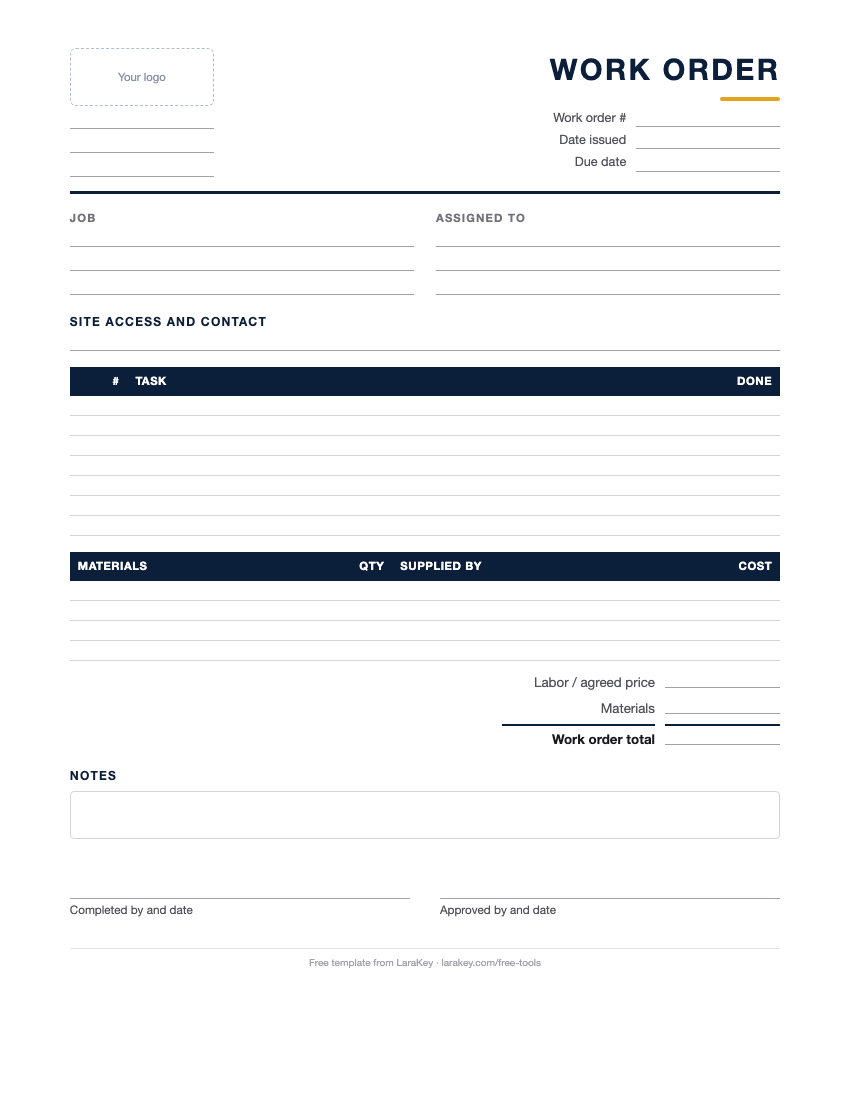
Free work order template
No sign-up, no email. Download it and use it on your next job.
In LaraKey, work orders go to subs by email with the scope and the price. They accept, update and mark the work done, and it all stays with the job.
See Work OrdersWhat to put in a work order
- Work order number and date.
- Job: client, job address, access notes and the site contact.
- Assigned to: the crew lead or subcontractor, with their phone.
- Tasks: each step, in order, with any specs.
- Materials: what’s supplied and what they bring.
- Schedule: start date, due date and working hours.
- Price or hours: the agreed amount for subs, or the budgeted hours for crew.
- Sign-off: completed by, date, and approval.
Examples
Tile sub on a bathroom
Tasks: waterproof shower walls, set 12×24 wall tile, mosaic floor, grout and seal. Materials supplied: tile and setting materials on site. Price: $3,400. Due in 5 working days.
Crew punch list
Tasks: replace a cracked outlet cover, adjust two cabinet doors, touch up paint in the hall. Budget: 4 hours. Sign-off by the client at the walkthrough.
Work Order Template: common questions
What is a work order in construction?
A written assignment that tells a crew or subcontractor what work to do, where, when, with what materials and for what price.
How is a work order different from a change order?
A change order changes the contract with the client. A work order assigns work to your crew or a sub. A change order often leads to a new work order.
Should subs sign work orders?
Yes. A signed work order with the scope and price avoids disputes about what was agreed.
Is this work order template free?
Yes. Download the PDF or Excel file. No sign-up, no email.
Can I use it for my own crew?
Yes. Leave the price blank and put the budgeted hours instead.
Does the Excel version calculate totals?
Yes. Material and labor lines add up to a work order total.
How do I number work orders?
Use a simple sequence per job or company-wide, like WO-101, WO-102.
Can subs accept work orders online?
With LaraKey, yes. Subs get the work order by email, accept it and mark it done, and you see every update on the job.
Talk to a person who knows remodeling.
Looking for more free tools?
Change Order Template
Get every change in writing with the price and schedule impact, signed before work starts.
Get templateNew!Proposal Template
Scope, price, schedule, terms and signatures in one document clients can say yes to.
Get templateLabor Cost Calculator
Find what an hour of labor really costs after taxes, comp and time you can’t bill.
Use calculatorInvoice Generator
Fill in a form and save a clean invoice as a PDF. Nothing is stored or sent.
Make an invoice