
Free Change Order Template for Contractors (PDF & Excel)
Changes are where remodelers lose money: work done on a handshake and never billed. This change order records what’s changing, why, what it costs, how it moves the schedule and the new contract total, with a signature from the client before the work starts.
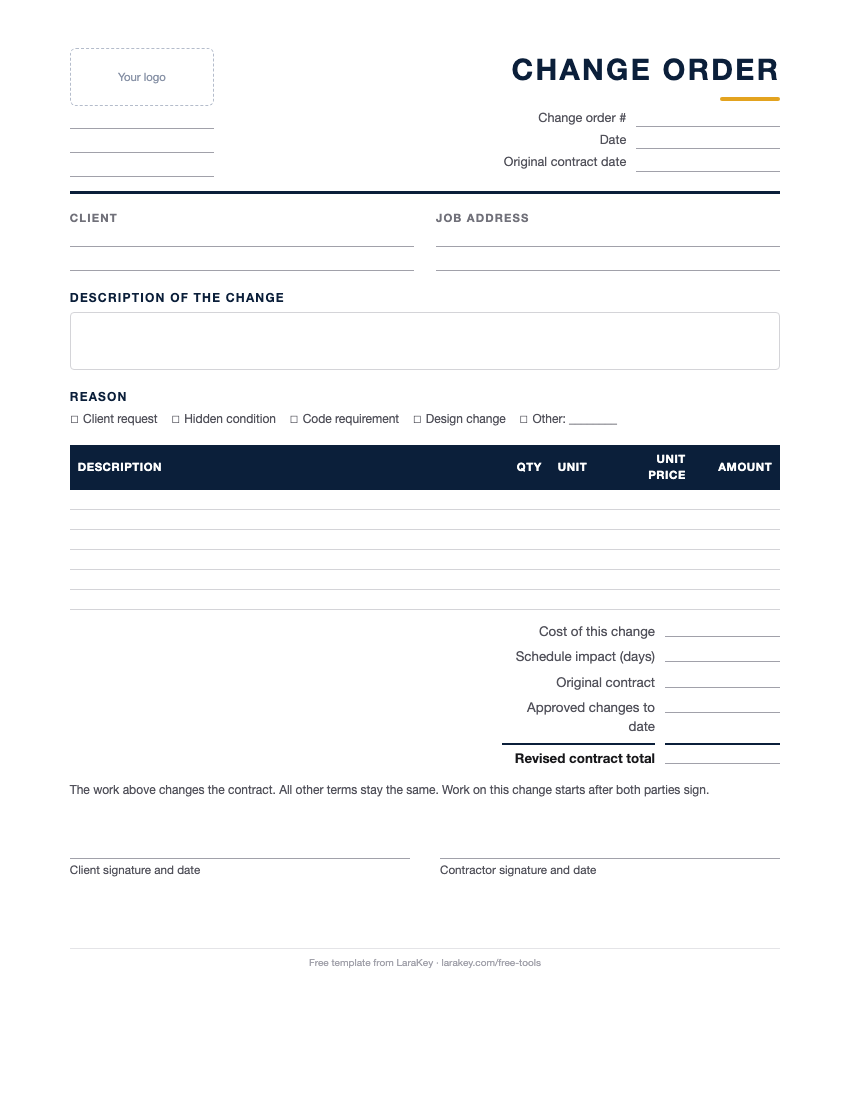
Free change order template
No sign-up, no email. Download it and use it on your next job.
In LaraKey, change orders go to the client’s Client Hub, they approve and sign online, and the contract total and invoices update.
See Change OrdersWhat to put in a change order
- Job and contract: client, job address, original contract date and change order number.
- The change: what’s being added, removed or changed, in plain words.
- Why: client request, hidden condition, code requirement or design change.
- Cost: line items with the price of the change (or a credit).
- Schedule: how many days the change adds or saves.
- New total: original contract + approved changes so far + this change = revised contract.
- Signatures: client and contractor, with the date, before the work starts.
Examples
Quartz upgrade
Laminate to quartz countertops: +$2,650, +3 days for fabrication. Original contract $58,900, earlier changes $1,470, revised contract $63,020.
Rot found behind tile
Replace 12 sq ft of rotted subfloor and one joist: +$1,180, +1 day, reason “hidden condition”. Signed before the tile goes back down.
Change Order Template: common questions
What is a change order in construction?
A written agreement to change the scope, price or schedule of a signed contract. It protects both sides by putting the change in writing before the work is done.
When do I need a change order?
Any time the work, price or schedule changes from the signed contract: client upgrades, hidden conditions, code requirements or design changes.
Should the client sign before the work starts?
Yes. A signed change order before the work is the best way to make sure you get paid for it and avoid disputes later.
Can a change order reduce the price?
Yes. Enter a credit for work that’s removed. The revised contract total goes down.
How do I price a change order?
The same way you price any work: direct cost, overhead and profit. Many contractors also add a small change-order fee for the extra admin.
Does the change order template calculate totals?
The Excel version adds up the lines and the revised contract total. The PDF is for filling in by hand.
Do change orders affect the schedule?
Often. The template has a line for days added or saved, so the client agrees to the new completion date too.
Can clients approve change orders online?
Yes. In LaraKey, clients review and sign change orders from their Client Hub on any phone.
Talk to a person who knows remodeling.
Looking for more free tools?
Estimate Template
A clean estimate for remodeling and construction jobs. Download the PDF or Excel, no sign-up.
Get templateInvoice Generator
Fill in a form and save a clean invoice as a PDF. Nothing is stored or sent.
Make an invoiceJob Pricing Calculator
Add up labor, materials, subs and overhead, set your profit, and get a bid price.
Use calculatorNew!Markup & Profit Calculator
Turn cost and markup into a price, profit and margin, and see why 25% markup isn’t 25% margin.
Use calculator